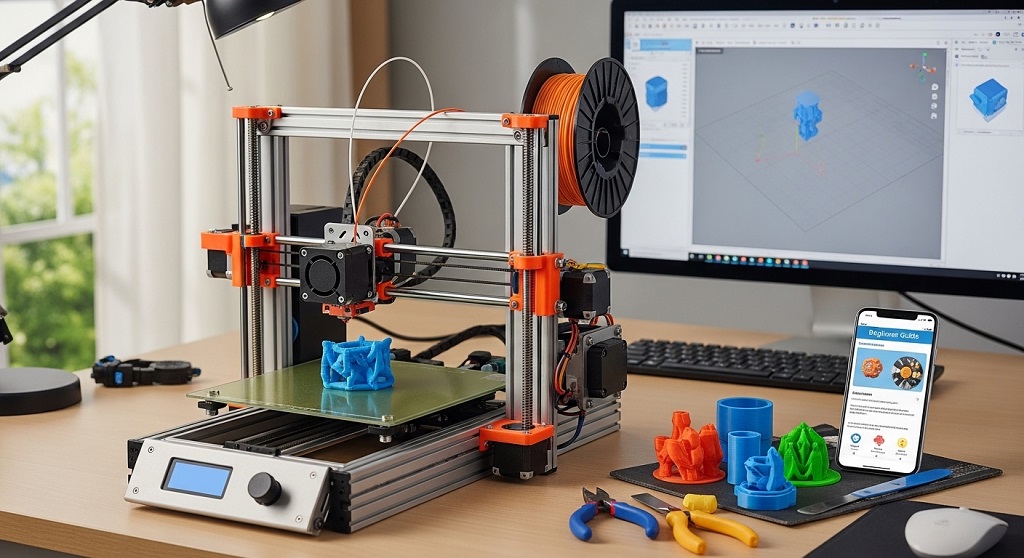
An entry-level FDM 3D printer is a beginner-friendly machine that creates objects by melting plastic filament layer by layer. These printers usually cost between $120 and $350 and are ideal for hobbyists, students, designers, and small business starters who want affordable access to rapid prototyping.
Many people believe 3D printing is expensive or complicated. That was true years ago. Today, entry-level FDM printers deliver reliable performance at a fraction of earlier costs. According to market data from Statista, the global desktop 3D printing segment has expanded steadily since 2020, largely driven by affordable consumer printers entering homes and classrooms.
If you want to create prototypes, custom tools, replacement parts, or even products for sale, starting with a low-cost FDM printer is one of the smartest entry points into digital manufacturing.
This guide explains exactly how beginners can start 3D printing with minimal investment, avoid common mistakes, and get useful results from day one.
Why Should Beginners Choose an Entry-Level FDM 3D Printer Instead of Other Types?
The best reason to start with an entry-level FDM 3D printer is affordability combined with flexibility. Compared with resin printers or industrial systems, FDM machines require less maintenance and safer materials.
Here is what makes them ideal for beginners:
- Lower machine cost than resin or SLS printers
- Cheap filament materials like PLA and PETG
- Simple setup process
- Wide online support communities
- Easy replacement parts availability
- Minimal ventilation requirements when using PLA
For example, educators worldwide now use entry-level printers in STEM programs because they allow students to learn CAD modeling and manufacturing basics without expensive infrastructure.
This combination of accessibility and capability explains why FDM printers account for the majority of consumer 3D printer sales globally.
How Much Does It Cost to Start with an Entry-Level FDM 3D Printer?
You can begin 3D printing for under $250 if you choose the right starter setup.
| Item | Typical Cost |
|---|---|
| Entry-level FDM printer | $120–$300 |
| PLA filament (1kg) | $15–$25 |
| Basic tools kit | $10–$20 |
| Free slicing software | $0 |
| Total startup cost | $150–$350 |
Compared to traditional manufacturing tools, this setup cost is extremely low. A single functional prototype can often justify the entire investment.
Which Features Matter Most When Buying an Entry-Level FDM 3D Printer?
The most important features for beginners are reliability, build volume, ease of leveling, and compatibility with common filaments.
Look for these specifications before purchasing:
- Build volume of at least 220 × 220 × 250 mm
- Heated print bed
- Automatic or assisted bed leveling
- Open filament compatibility
- Silent stepper drivers
- Resume printing after power loss
These features improve print success rates and reduce frustration during early learning stages.
Case study example: A 2023 classroom pilot program in Singapore introduced entry-level FDM printers into secondary schools. Teachers reported a 40% reduction in print failures after switching to printers with auto-bed leveling compared to manual systems.
What Materials Can You Use with an Entry-Level FDM 3D Printer?
Most entry-level printers support several beginner-safe filaments. The most common option is PLA.
- PLA: easiest material, low temperature, beginner-friendly
- PETG: stronger and more flexible than PLA
- TPU: flexible rubber-like prints (advanced beginner level)
- ABS: stronger but requires enclosure
PLA remains the recommended starting material because it produces fewer print errors and minimal odor.
According to Ultimaker’s material usage reports, PLA accounts for more than 60% of desktop 3D printing activity worldwide.
How Do You Set Up an Entry-Level FDM 3D Printer for the First Time?
Most entry-level printers can be assembled in under one hour.
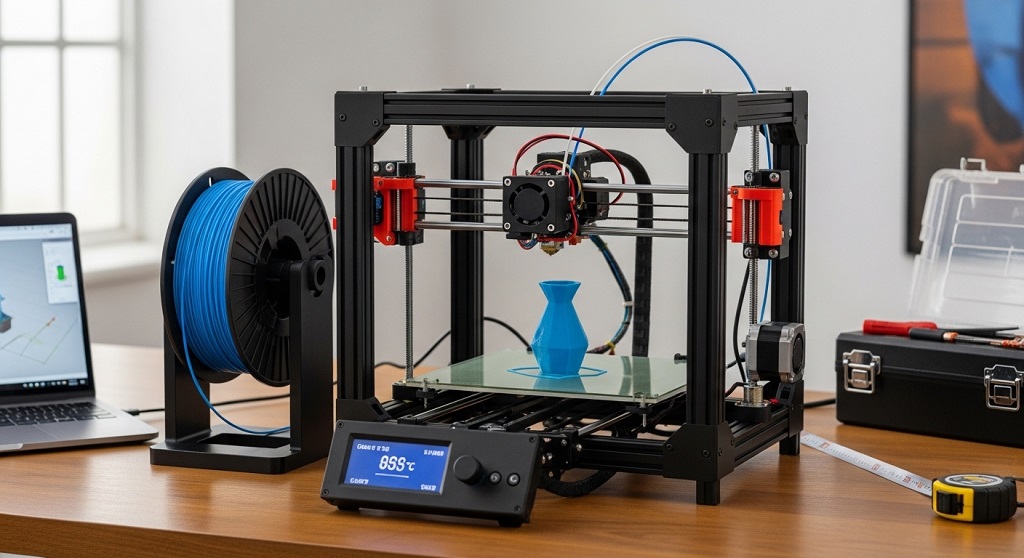
Follow this setup sequence:
- Unbox components carefully
- Assemble frame structure
- Attach print bed and gantry
- Connect wiring harness
- Load filament spool
- Level the print bed
- Run test print
Manufacturers now design beginner printers with partially preassembled frames, reducing setup complexity compared to earlier DIY kits.
Running a calibration cube print helps verify alignment before starting real projects.
Which Free Software Do Beginners Need for 3D Printing?
You only need three types of software to begin printing.
- CAD software for modeling
- Slicer software for print preparation
- Printer interface software (optional)
Popular beginner-friendly tools include:
- Tinkercad
- Fusion 360 personal edition
- Cura slicer
- PrusaSlicer
These programs convert 3D models into machine-readable instructions called G-code.
Most slicing software includes recommended presets for entry-level printers, reducing manual adjustments.
How Can Beginners Avoid Common Entry-Level FDM Printing Mistakes?
The most common beginner issue is poor bed adhesion.
You can prevent early failures by following these practices:
- Level the print bed carefully
- Use correct nozzle temperature
- Clean build surface before printing
- Print slowly during first layer
- Store filament in dry containers
Research from 3D Hubs user surveys shows that improper bed leveling accounts for nearly 70% of early print failures among new users.
Fixing this single step dramatically improves results.
What Can You Actually Make with an Entry-Level FDM 3D Printer?
Entry-level printers can produce functional and commercial-grade objects if designed properly.
Common beginner projects include:
- Phone stands
- Cable organizers
- Tool holders
- Replacement appliance parts
- Educational models
- Desk accessories
- Prototype product designs
Many Etsy sellers started with entry-level printers and scaled into profitable micro-manufacturing businesses.
A 2024 Etsy seller survey reported that custom 3D printed accessories remain one of the fastest-growing handmade tech categories.
Is It Possible to Start a Small Business with an Entry-Level FDM 3D Printer?
Yes. Many entrepreneurs begin with one low-cost printer and scale gradually.
Low-risk starter business ideas include:
- Custom name tags
- Phone holders
- Gaming accessories
- Cookie cutters
- Plant pots
- Educational kits
Because filament costs are low, profit margins can remain high even with small production runs.
Example: A UK-based student launched a desk organizer product line using a single entry-level printer and reached $1,200 monthly revenue within four months.
How Long Does It Take to Learn Entry-Level FDM 3D Printing?
Most beginners achieve consistent print success within two weeks of regular practice.
Learning timeline:
- Day 1: printer setup
- Day 2–3: first calibration prints
- Week 1: slicing adjustments
- Week 2: custom model printing
Online communities accelerate learning significantly. Forums and video tutorials provide troubleshooting support for nearly every issue.
How Much Electricity Does an Entry-Level FDM 3D Printer Use?
Entry-level printers consume roughly 50–150 watts during operation.
This equals:
- less than a desktop computer
- similar to a household light bulb cluster
Typical monthly electricity cost remains under $5 for hobby use.
This makes them practical even for students and home users.
How Can You Upgrade an Entry-Level FDM 3D Printer Later?
One advantage of entry-level printers is upgrade flexibility.
Popular improvements include:
- Auto-bed leveling sensors
- Glass print surfaces
- Silent motherboard upgrades
- Direct-drive extruders
- Enclosures for ABS printing
Upgrading gradually allows beginners to expand capabilities without replacing the printer entirely.
Conclusion: Is an Entry-Level FDM 3D Printer Worth It for Beginners?
An entry-level FDM 3D printer offers one of the most affordable ways to enter digital fabrication today. With startup costs below many traditional hobby tools, beginners can design, prototype, and manufacture useful objects from home.
The learning curve is manageable. Materials are inexpensive. Communities provide strong support. Most importantly, the technology scales with your skills.
If you want to explore product design, launch a side business, or simply build practical tools yourself, starting with an entry-level printer is a smart decision.
Start small. Print consistently. Upgrade gradually. That is how most successful makers begin.
Choose your first printer today and begin turning digital ideas into physical results.
FAQs About Entry-Level FDM 3D Printers
What is the best filament for beginners using an entry-level FDM 3D printer?
PLA filament is the best choice because it prints at lower temperatures, produces fewer errors, and requires no enclosure.
Do entry-level FDM 3D printers require ventilation?
PLA printing usually does not require special ventilation. However, ABS printing benefits from airflow or enclosure systems.
How often do entry-level FDM printers need maintenance?
Basic maintenance includes nozzle cleaning, belt tightening, and bed leveling every few weeks depending on usage.
Can beginners print functional mechanical parts?
Yes. PETG and reinforced PLA allow printing durable parts suitable for light mechanical applications.
Is 3D printing safe at home?
Yes. When used properly with PLA filament and standard precautions, entry-level printers are safe for home environments.
How fast can an entry-level printer complete a project?
Small objects print in 30–90 minutes. Larger items may take 6–12 hours depending on detail level.
Can students use entry-level FDM printers for school projects?
Yes. Many schools worldwide now integrate FDM printing into STEM education programs.
Read More Also: Packing List for Luxury Wellness Retreat Spa Vacation
Discover More: Five Reasons People Delay Having Their Hearing Tested